
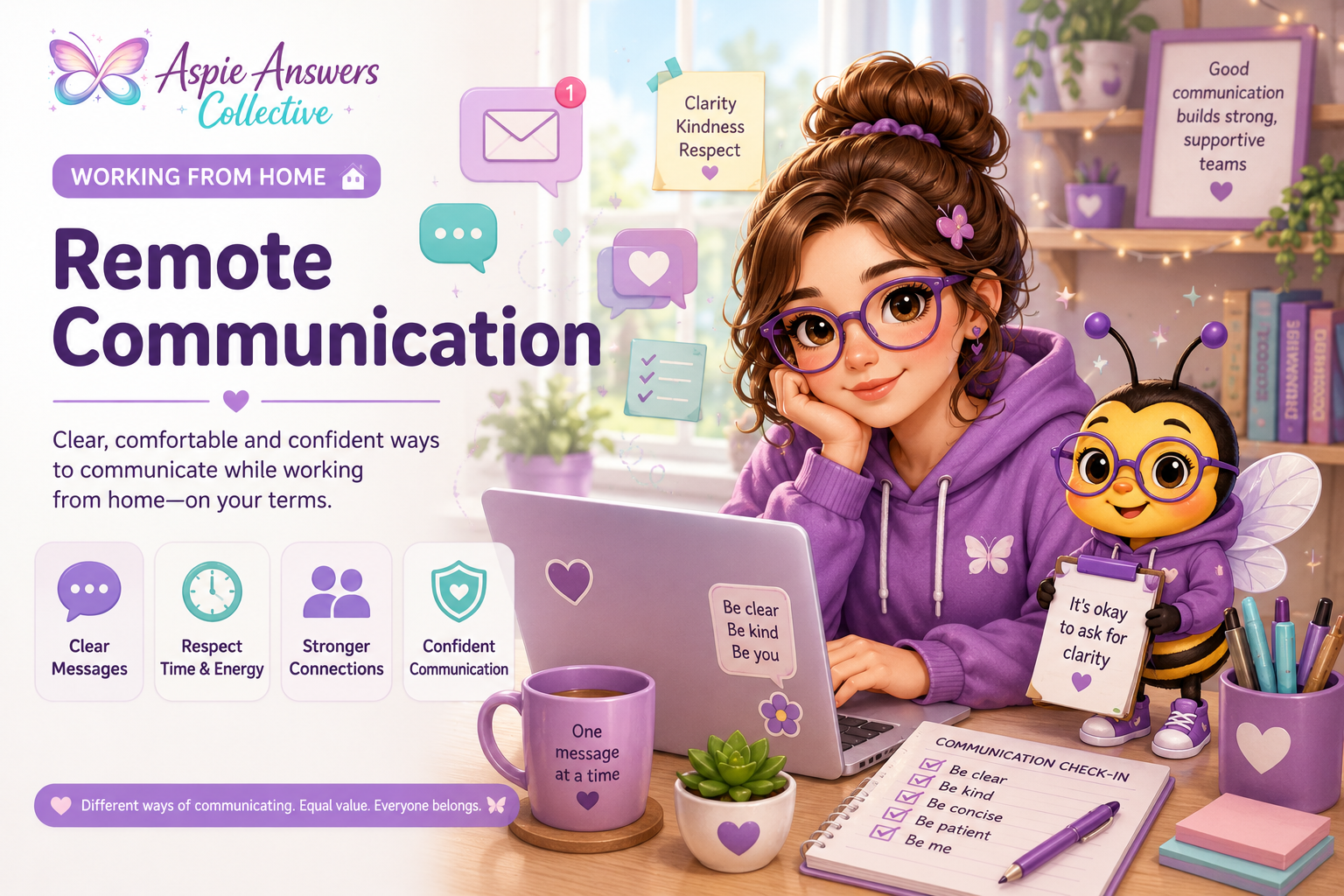
Working From Home
Welcome to Remote Communication
Working from home often means relying more heavily on emails, chat messages, shared documents, phone calls and online communication. These tools can make work more flexible, but they can also create misunderstandings, information overload and uncertainty about when or how to respond.
Clear remote communication is not about sounding perfect or responding instantly. It is about making information easier to understand, respecting different communication styles and creating practical ways for people to stay connected without unnecessary pressure.
This page explores practical, neurodivergent-friendly strategies for communicating clearly, asking for clarification, managing messages, protecting your time and building stronger working relationships from home.
A gentle reminder: Different ways of communicating can all be valid. Written, verbal, visual, direct, detailed or brief communication styles can each work well when expectations are clear and people are treated with respect.
Different Ways Remote Communication Can Work
Remote work often gives people more than one way to communicate. Choosing the right method can make information easier to understand, reduce pressure and help people respond in ways that suit their communication and processing needs.
Useful for detailed information, instructions, decisions, documents and messages that someone may need to refer back to later.
Chat & Messaging
Helpful for shorter updates, quick questions and informal communication when an immediate meeting is unnecessary.
Shared Documents
Notes, comments and collaborative documents can allow people to contribute in their own time and keep important information visible.
Phone Calls
Calls can help when something needs discussion, but not everyone processes spoken information easily or enjoys unexpected calls.
Video Communication
Video can support conversation and connection, but it may also add sensory, social or processing demands for some people.
Asynchronous Communication
Allowing people time to read, process and respond can reduce pressure and improve the quality of communication.
Your Communication Preferences Matter
Remote communication can become easier when people understand which methods help them receive, process and respond to information.
One Method Does Not Need to Work for Everything
You might prefer email for detailed information, chat for quick updates and a scheduled call for complicated discussions. Good remote communication often means choosing the method that best fits the message rather than expecting every conversation to happen in the same way.
Make Remote Messages Clearer & Easier to Understand
Remote messages can be harder to interpret because tone, facial expression and immediate clarification may be missing. Clear wording can reduce uncertainty and help everyone understand what is needed, when it is needed and what should happen next.
Say What You Need
Make the purpose of the message clear instead of expecting the other person to work out what action you are asking for.
Include the Timing
If something has a deadline, include the actual date or time rather than using vague phrases such as “soon” or “when you can”.
Use Short Sections
Paragraphs, bullet points and headings can make detailed messages easier to scan, process and return to later.
Identify the Next Step
Tell the reader what should happen after the message — reply, review, send a file, make a decision or simply note the update.
Put Information in One Place
Where possible, include the relevant link, document or context so the reader does not need to search several systems before acting.
Be Direct Without Being Harsh
Clear communication can still be respectful. Direct wording often reduces confusion when it focuses on the task rather than judging the person.
Clearer Message Examples
Small wording changes can remove a surprising amount of uncertainty.
Try: “Could you review the attached document and send your feedback by 3pm Thursday?”
Try: “Could we schedule 20 minutes tomorrow to talk through the project timeline and decide the next steps?”
Try: “Please update the contact details in sections 2 and 4, then send me the revised version.”
Try: “Please reply with either Option A or Option B by Friday so we can confirm the booking.”
Useful Messages Answer the Reader’s Likely Questions
Before sending, check whether the message explains what is happening, what you need from the other person, when it matters and where they can find the information required to respond.
Clarity Can Be an Accessibility Support
Clear, specific communication can support people who process information differently, experience anxiety around uncertainty or find it difficult to infer unstated expectations. Making information clearer can help the whole team, not only neurodivergent workers.
Asking for Clarification Without Feeling Awkward
Remote communication can leave gaps. A message may be too brief, a deadline may be unclear or different people may interpret the same instruction in different ways. Asking for clarification can prevent mistakes and save time — it is a useful communication skill, not a sign that you should have automatically understood everything.
Ask About the Outcome
If the task feels vague, ask what the finished result should look like or what the person needs from you.
Confirm the Deadline
If “soon” or “later” is unclear, ask for a specific date or time so you can plan the work properly.
Check the Priority
When several tasks compete for attention, ask which one should happen first rather than trying to guess.
Repeat Back What You Understood
Summarising your understanding can help both people notice any differences before the work begins.
Ask One Question at a Time
If several things are unclear, separating questions can make the conversation easier to follow and answer.
Request Written Follow-Up
If important information was discussed verbally, asking for a written summary can make it easier to process and refer back to.
Useful Clarification Phrases
You can adapt these to suit your own communication style.
Clarifying Early Can Save Work Later
A short question before you begin may prevent hours of working toward the wrong outcome. When expectations are unclear, asking can be more efficient than trying to infer what somebody meant.
You Are Allowed to Need Clear Information
Some people find ambiguity especially difficult because of executive-function demands, anxiety, processing differences or a preference for direct communication. Clearer information can support accuracy, confidence and better working relationships.
Managing Messages, Notifications & Communication Overload
Remote work can create a constant stream of emails, chat messages, alerts and requests. When everything arrives through a screen, it can become difficult to tell what is urgent, what can wait and when it is okay to focus without checking every notification.
Reduce Non-Urgent Alerts
Turn off or mute notifications that do not require immediate attention, especially during focus periods.
Check Messages in Batches
Where your role allows it, checking messages at planned times can reduce constant task-switching and help protect concentration.
Identify What Is Actually Urgent
Not every notification needs an instant response. Clear team rules about urgency can make communication much easier to manage.
Use Channels With a Purpose
Keeping project updates, urgent issues and general conversation in predictable places can make information easier to find later.
Allow Response Time
Remote communication does not always need to happen instantly. People may need time to finish a task, process the message or prepare a useful response.
Create Communication Breaks
Time away from messages can help reduce cognitive load and make it easier to return with more attention and clarity.
Helpful Communication Boundaries
Boundaries can make expectations clearer for everyone and reduce the pressure to remain constantly available.
When the Inbox Feels Too Much
Start with what needs action rather than trying to process everything perfectly. Identify urgent messages, choose one next response and move non-urgent items into a place you can return to later. A small communication reset can be more manageable than clearing every message in one sitting.
Being Reachable Is Not the Same as Being Constantly Available
Remote work can blur the line between communication and interruption. Protecting periods of focused work, recovery and offline time can support both productivity and clearer communication.
Tone, Directness & Avoiding Misunderstandings Online
Written communication can sometimes sound different from how it was intended. Without facial expression, voice tone or immediate feedback, a short message may seem abrupt, vague or more serious than the sender meant. A little extra context can reduce misunderstandings without making every message overly complicated.
Direct Can Still Be Respectful
Clear wording is not automatically rude. Focus on the task, information or next step rather than making personal judgements.
Don't Rely on Hidden Meaning
If something matters, say it clearly rather than expecting the reader to infer it from hints, tone or vague wording.
Add Context When Helpful
A brief explanation of why you are asking for something can make a direct request feel clearer and easier to understand.
Warmth Can Be Simple
A greeting, thank you or short friendly sentence can soften a message without requiring lots of social wording.
Check Before Assuming Tone
If a message feels abrupt or confusing, there may be more than one possible interpretation. Clarifying can be safer than assuming the worst intention.
Pause Before Replying
If a message creates a strong emotional reaction, giving yourself time to process before responding may help you communicate more clearly.
Small Changes Can Make Tone Clearer
You do not need to rewrite your whole communication style. A little extra context can make a direct message easier to interpret.
Clearer: “Could you please send the updated file today? I need it for tomorrow morning’s review.”
Clearer: “The figures in sections 2 and 3 don't match the spreadsheet. Could you check those two sections?”
Clearer: “Yes, that approach works for me. Thanks for confirming.”
Clearer: “Could we have a quick chat about next week's schedule? Nothing is wrong — I just want to confirm the timings.”
Before You Send, Check the Meaning — Not Whether You Sound Perfect
Ask whether the reader can understand what you mean, what you need from them and whether any important context is missing. Clear and respectful communication matters more than finding the perfect wording.
Different Communication Styles Are Not Character Flaws
Some people communicate more directly, use fewer social phrases or prefer precise wording. Others use more relational or expressive language. Remote teams work better when differences in style are understood rather than automatically interpreted as lack of care, professionalism or respect.
Response Times, Availability & Communication Boundaries
Remote work can create an expectation that people should always be reachable because messages can arrive at any time. Clear communication boundaries help teams understand when a response is expected, what is genuinely urgent and when it is okay to focus, step away or finish work for the day.
Clarify Response Expectations
Knowing whether a message needs a response within minutes, hours or the next working day can reduce unnecessary pressure.
Define What Counts as Urgent
Teams can agree on a separate route for genuinely urgent issues so every message does not need to be treated like an emergency.
Protect Focus Time
Status settings, calendar blocks or agreed quiet periods can show when you are concentrating and may not respond immediately.
Protect After-Hours Time
Where possible, work messages should not create an expectation of evening, weekend or constant availability.
Share Your Working Pattern
If your hours are flexible or different from coworkers, making those times visible can reduce confusion about when you are available.
Allow Processing Time
Some messages need thought before a useful response is possible. Fast replies are not always better replies.
Useful Team Agreements
Remote communication becomes easier when expectations are shared rather than left for each person to guess.
A Clear Boundary Can Still Sound Collaborative
For example: “I’m going into a focus block until 2pm, so I may not see chat messages immediately. If something is genuinely urgent, please call me. Otherwise I’ll respond when I finish.”
Availability Is Not a Measure of Commitment
Someone can be reliable, engaged and committed to their work without replying instantly to every message. Healthy remote communication makes room for focused work, processing time, breaks and life outside the screen.
Asynchronous Communication & Giving People Time to Process
Not every conversation needs to happen in real time. Asynchronous communication allows people to read, think, process and respond when they are ready within an agreed timeframe. This can reduce pressure and make remote communication more accessible for many different working and communication styles.
Allow Processing Time
Some people communicate more clearly when they have time to think before answering rather than being expected to respond immediately.
Use Written Updates
Written summaries, project notes and shared documents can replace some meetings while keeping important information available.
Support Different Schedules
Asynchronous communication can help teams work across flexible hours, different time zones or varying energy and concentration patterns.
Reduce Interruptions
People can finish focused work before responding instead of every message automatically becoming an immediate interruption.
Create a Written Record
Messages and shared notes can make decisions, instructions and project history easier to review later.
Reduce Live Communication Pressure
Fewer spontaneous conversations may help people who find rapid verbal processing, unexpected calls or live social interaction demanding.
Asynchronous Communication Can Work Well For
Some tasks are particularly well suited to communication that does not require everybody to be present at exactly the same moment.
Asynchronous Doesn't Mean “No Deadline”
Clear expectations still matter. A message can say, for example, “Please review this when you have space today and reply by 3pm tomorrow.” That gives processing time while still making the required timeframe clear.
Not Everything Needs a Meeting
Meetings can be useful for discussion, collaboration and complex decisions, but they are not automatically the best tool for every update. Choosing written or asynchronous communication when suitable can protect time, focus and energy across the whole team.
Communicating Needs, Preferences & Support at Work
Remote communication can become easier when people understand what helps you receive, process and respond to information. You do not need to explain every personal detail to communicate a practical preference or ask for a clearer way of working.
Ask for Written Information
If written instructions are easier to process, ask for important tasks, decisions or follow-up points to be confirmed in writing.
Ask for Advance Notice
Early notice of calls, meetings or changes can give you time to prepare and reduce the pressure of unexpected communication.
Ask for Processing Time
You may communicate more clearly when given time to think before responding to complex questions or important decisions.
Share Preferred Channels
You might prefer email for detailed information, chat for quick updates or scheduled calls rather than unexpected phone contact.
Protect Focus Periods
Letting others know when you are concentrating can help reduce interruptions without cutting you off from the team.
Ask for Clear Expectations
Clarifying deadlines, priorities, response times and responsibilities can reduce uncertainty and make remote work more manageable.
Practical Ways to Communicate a Preference
These examples focus on what helps you work effectively rather than requiring you to disclose more than you want to.
Focus on the Barrier and the Helpful Change
A practical request can be as simple as identifying what makes the current communication difficult and what would help. For example: “Unexpected calls make it difficult for me to switch tasks. A short message before calling would help me prepare.”
You Do Not Need to Communicate Like Everyone Else
Different communication preferences can still support strong, professional working relationships. The goal is not to copy one preferred style, but to create enough clarity and mutual understanding for people to work well together.
Handling Misunderstandings, Conflict & Repairing Communication
Misunderstandings can happen more easily when people communicate mainly through messages and screens. Tone may be interpreted differently, important context may be missing or people may simply have different expectations. A communication problem does not always need to become a relationship problem.
Pause Before Responding
If a message feels upsetting or confusing, give yourself time to process before replying where possible. An immediate response is not always the clearest response.
Check Your Interpretation
Ask whether there could be another explanation for the wording before assuming the sender intended criticism, anger or disrespect.
Clarify What Was Meant
A short clarification question can prevent a misunderstanding from growing into a larger conflict.
Focus on the Specific Issue
Describe what happened and what needs changing rather than making broad statements about someone's personality or intentions.
Look for the Next Useful Step
Repair can mean clarifying expectations, correcting information, agreeing on a new process or simply acknowledging what went wrong.
Change Communication Method if Needed
If written messages are making the situation harder, a scheduled call or video conversation may sometimes resolve confusion more quickly.
Useful Phrases for Repairing Communication
These examples can help you stay clear and collaborative without pretending there was no problem.
Repair Does Not Always Mean Someone Was Completely Wrong
Two people can interpret the same message differently without either person deliberately creating a problem. Repair often means adding missing context, agreeing on clearer expectations and choosing a communication approach that works better next time.
Clearer Systems Can Prevent Repeat Misunderstandings
If the same communication problem keeps happening, look beyond the individual conversation. Clearer deadlines, agreed channels, written follow-up, response expectations or communication preferences may prevent the same difficulty from repeating.
Building Connection & Trust in Remote Teams
Remote teams may have fewer spontaneous conversations than people who work in the same physical space. That does not mean connection has to disappear. Trust can grow through clear expectations, reliable communication, respectful boundaries and small opportunities to stay connected over time.
Be Consistent
Following through on agreed tasks, updates and response expectations can build trust even when coworkers do not see each other every day.
Share Useful Updates
Short progress updates can reduce uncertainty and help others know what is happening without needing constant check-ins.
Respect Communication Differences
Trust grows when people are not judged for needing written information, processing time, fewer meetings or a more direct style.
Notice Contributions
Remote workers may receive less informal feedback. Acknowledging useful work and progress can help people feel seen and connected.
Make Expectations Predictable
Clear roles, priorities and communication routines reduce the need for people to guess what others expect from them.
Allow Optional Informal Connection
Casual chats, social channels or occasional virtual catch-ups can support belonging when participation is flexible rather than forced.
Small Team Habits That Can Build Trust
Connection often grows through simple repeated habits rather than constant meetings or social activity.
Trust Does Not Require Constant Visibility
Remote workers do not need to prove they are working by staying permanently online or responding instantly. Clear outcomes, dependable communication and agreed expectations can support trust without turning remote work into continuous monitoring.
Connection Can Look Different for Different People
One person may enjoy informal chat while another prefers purposeful communication and quieter working relationships. Both can still be valued members of a remote team. Belonging does not require everybody to socialise in exactly the same way.
A Quick Remote Communication Check-In
Communication does not have to be perfect to work well. A quick check-in can help you notice which methods are supporting you, where misunderstandings are happening and whether a small adjustment could make remote communication easier.
What Is Working Well?
Notice which communication methods, routines or team agreements make information easier to understand and respond to.
Where Is the Friction?
Look for repeated uncertainty, interruptions, unclear instructions, communication overload or situations that leave you guessing.
What Would Make It Easier?
Consider whether clearer deadlines, written follow-up, fewer notifications or more processing time could help.
What Is One Small Change?
Choose one practical adjustment rather than trying to redesign every communication system at once.
Questions to Ask Yourself
You do not need to answer everything. Choose the questions that are useful for your current situation.
Choose One Communication Experiment
You might try muting one unnecessary notification, asking for a deadline to be made more specific, requesting written follow-up after a call or setting aside one protected focus period. Try the change, notice whether it helps and adjust from there.
Better Communication Is a Shared Responsibility
You can develop strategies that help you communicate more clearly, but good remote communication should not depend on one person doing all the adapting. Clear expectations, accessible information, respectful boundaries and willingness to clarify can support everyone involved.
Related Working From Home Support & Resources
Remote communication connects with many other parts of working from home. Meetings, digital organisation, isolation, boundaries and executive-function demands can all affect how easy it feels to stay informed and connected.
Online Meetings & Communication
Explore ways to prepare for virtual meetings, manage communication demands and make online conversations easier to navigate.
Digital Organisation for Working From Home
Create clearer systems for messages, files, folders, documents and other digital information used throughout the workday.
Staying Connected
Find practical ways to maintain workplace relationships and a sense of connection when you are working away from coworkers.
Managing Isolation
Explore support for loneliness, disconnection and the quieter social challenges that can sometimes come with remote work.
ADHD & Executive Function Challenges
Find strategies for working memory, task switching, message overload, priorities and other executive-function demands while working from home.
Work-Life Boundaries
Create clearer boundaries around availability, working hours and communication so work does not follow you through the whole day.
Future Remote Communication Tools
Practical printable and digital resources can support the strategies explored throughout this page and become part of the wider Aspie Answers resource library.
Remote Communication Is Only One Part of Working From Home
If communication itself is manageable but you are struggling with meetings, isolation, routines, distractions, energy or switching off from work, explore the other Working From Home pages for support focused on those specific areas.
Find the Communication Style That Helps You Work Well
Good remote communication does not require everyone to communicate in exactly the same way. Clear expectations, flexible methods, respectful boundaries and willingness to clarify can create a workplace where different communication styles have room to work.
Remote Communication FAQ
Remote communication can involve different expectations, technologies and communication styles. These common questions may help you find clearer and more manageable ways to stay connected while working from home.
What is remote communication?
Remote communication includes the ways people exchange information when they are not working together in the same physical location. This can include email, chat, shared documents, phone calls, video meetings and project platforms.
How can I make remote communication clearer?
Be specific about the purpose of your message, what action is needed and when it is needed. Short paragraphs, bullet points, clear deadlines and written summaries can also make information easier to process.
Is it okay to ask for instructions in writing?
Yes. Written information can make instructions easier to process, remember and refer back to. You might ask for a written summary after a conversation or request that important tasks and decisions are confirmed by email or message.
Do I need to reply to every work message immediately?
Not necessarily. Expectations depend on your workplace and role. Clear agreements about normal response times and what counts as urgent can reduce pressure to remain constantly available.
What if I find unexpected phone or video calls difficult?
Where possible, you can ask for calls to be scheduled or for a short message before someone calls. Advance notice may give you time to finish your current task, prepare information and transition into the conversation.
How can I tell whether someone's message is rude or just direct?
Written tone can be difficult to interpret accurately. If the meaning matters and you are unsure, consider asking for clarification before assuming intent. Communication styles can differ considerably between people.
What can I do when notifications keep interrupting my work?
If your role allows it, mute non-essential alerts, use focus settings and check lower-priority messages at planned times. Make sure there is still a clear route for genuinely urgent communication.
Is asynchronous communication useful for neurodivergent workers?
It can be helpful for some people because it provides more time to process information, organise thoughts and prepare a response. It can also reduce interruptions and the pressure of rapid verbal communication. Individual preferences will vary.
How should I handle a misunderstanding online?
Pause if needed, identify the specific point of confusion and ask what the other person meant. If messages are making the situation more complicated, switching to a scheduled conversation may help clarify the issue.
How can remote teams stay connected without having more meetings?
Teams can use brief written updates, shared documents, project channels and optional informal spaces. Connection does not have to depend on frequent meetings or constant social interaction.
Clear Communication Makes Remote Work Easier to Navigate
Good remote communication is not about being available every moment or communicating in one particular way. It is about creating enough clarity, predictability and flexibility for people to understand one another, complete their work and ask for what they need.
Keep Building a Remote Work Style That Supports You
Communication is one part of the bigger working-from-home picture. Routines, energy, digital organisation, connection, boundaries and your working environment can all work together to make remote work more sustainable.