
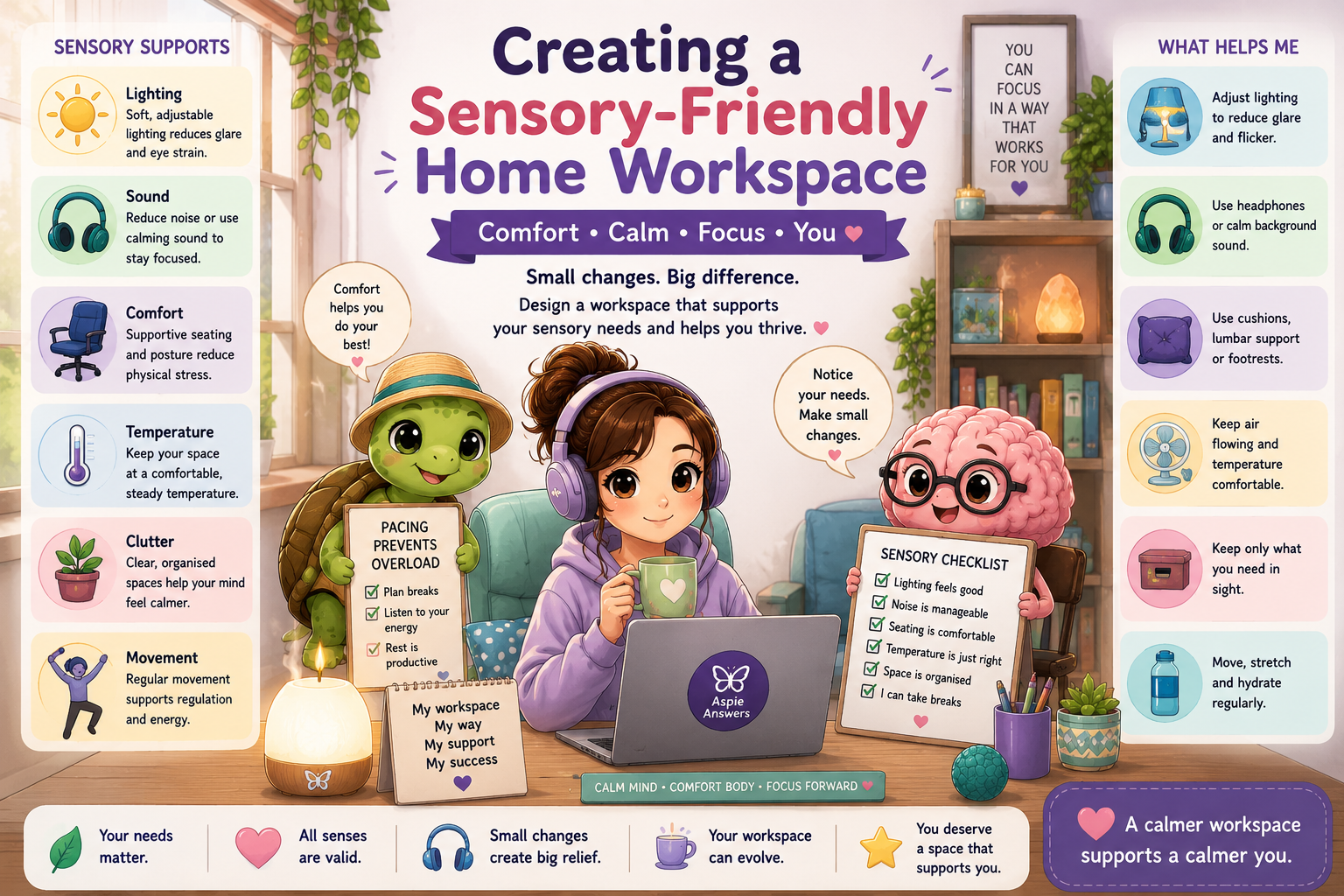
Creating a Sensory-Friendly Home Workspace
A supportive home workspace is about more than having a desk and a computer. Lighting, sound, temperature, seating, clutter, movement and other sensory experiences can all affect concentration, energy and wellbeing.
A sensory-friendly workspace does not need to look perfect or follow one specific design. It should support your individual sensory needs and help you work in a way that feels calmer, safer and more sustainable.
How Sensory Needs Can Affect Working From Home
Sensory discomfort can make it difficult to concentrate, process information or remain in the workspace for long periods. Sometimes people may not immediately realise that their environment is contributing to fatigue, distraction or overwhelm.
☀️ Lighting
Bright lights, flickering bulbs, screen glare or reflections may cause headaches, eye strain or difficulty focusing.
🎧 Sound
Background conversations, traffic, appliances, notifications and unpredictable noises may increase stress or interrupt concentration.
🪑 Physical Comfort
Unsupportive seating, poor posture, pressure points or uncomfortable clothing can make work physically exhausting.
🌡️ Temperature
Feeling too hot, too cold or affected by drafts can make it difficult to remain comfortable and regulated.
🌿 Visual Environment
Clutter, movement, bright colours or too many visible objects may compete for attention.
💭 Sensory Fatigue
Continually tolerating uncomfortable sensations can gradually reduce energy and increase overwhelm.
Identify Your Sensory Preferences
Sensory needs are personal. One person may need silence while another works best with music. One person may prefer a clear desk while another needs important items to remain visible.
Notice What Feels Uncomfortable
Pay attention to headaches, restlessness, tension, distraction, irritation or the urge to leave the workspace.
Notice What Helps You Feel Settled
Think about the lighting, sounds, textures, movement and temperatures that help you feel calm and focused.
Experiment With One Change
Try one small adjustment at a time so you can notice whether it makes the workspace easier to use.
Review Your Needs Regularly
Sensory needs may change with energy, stress, health, weather or the type of work you are doing.
Lighting and Visual Comfort
Lighting can affect concentration, headaches, fatigue and emotional regulation. Where possible, choose lighting that can be adjusted throughout the day.
- Use natural light where it feels comfortable.
- Use lamps instead of harsh overhead lighting.
- Adjust monitor and device brightness.
- Position screens away from reflections.
- Use curtains or blinds to manage glare.
- Try screen filters or dark mode where helpful.
- Reduce unnecessary flashing or moving images.
- Choose calmer colours around the immediate work area.
Sound and Noise Management
Sound can be one of the most difficult parts of working from home, particularly when noise is unpredictable or outside your control.
Use Headphones
Noise-cancelling or noise-reducing headphones may help reduce unpredictable sounds.
Add Helpful Sound
White noise, nature sounds or familiar music may make other noises less noticeable.
Create Quiet Periods
Agree on quieter times with household members for meetings or demanding tasks.
Reduce Alerts
Turn off unnecessary device sounds and notification alerts.
Change Position
Moving the desk away from a window, shared wall or noisy appliance may reduce disruption.
Use Soft Furnishings
Rugs, curtains and cushions may help soften echoes and environmental noise.
Seating, Posture and Physical Comfort
Physical discomfort can gradually increase distraction and fatigue. Supportive seating and flexible movement can make long periods of work more manageable.
- Use a supportive chair where possible.
- Add cushions or lumbar support.
- Use a footrest or stable box under your feet.
- Raise the laptop or monitor to a comfortable height.
- Use an external keyboard or mouse where helpful.
- Keep frequently used items within easy reach.
- Change position regularly.
- Stand, stretch or move between tasks.
Temperature, Airflow and Clothing
🌀 Manage Airflow
Use windows, fans or room positioning to improve airflow without creating uncomfortable drafts.
🌡️ Adjust Temperature
Use heaters, fans, blankets or cooling supports to create a steady temperature where possible.
🧥 Use Layers
Layered clothing can make it easier to respond to temperature changes throughout the day.
🥤 Stay Hydrated
Keep a preferred drink nearby, especially in warm or dry environments.
Smell and Air Quality
Strong smells may affect concentration, trigger headaches or contribute to sensory overload.
- Choose fragrance-free products where needed.
- Ventilate the workspace regularly.
- Keep strong cleaning products away from the desk.
- Avoid scented candles if they cause discomfort.
- Use preferred gentle scents only when they genuinely help.
- Keep strong food smells away from the work area where possible.
Clutter and Visual Organisation
A visually busy environment may increase distraction or make it difficult to identify what needs attention. The aim is not necessarily minimalism, but creating enough visual calm to support your work.
📦 Use Closed Storage
Boxes, drawers and cupboards can reduce the amount of visual information in the room.
📄 Limit Visible Paperwork
Keep only the current task or project visible where possible.
🔌 Organise Cables
Cable clips, ties or containers can reduce visual clutter and tangles.
🖼️ Simplify the Background
A calmer wall, screen background or meeting backdrop may reduce visual distraction.
Movement and Sensory Regulation
Some people focus better when they can move, fidget or change position. Sensory regulation does not always mean reducing stimulation—it may also mean adding the right kind of input.
- Take short movement or stretching breaks.
- Use a wobble cushion or alternative seating where helpful.
- Keep fidget tools within reach.
- Stand or pace during suitable phone calls.
- Use a weighted lap pad if it feels supportive.
- Keep a grounding object nearby.
- Use drinks with a preferred temperature or texture.
- Change working position before discomfort becomes intense.
Shared Homes and Limited Spaces
Not everyone has access to a separate office. Sensory support can still be created in a shared room or small home.
Portable Work Basket
Keep work tools and sensory supports together so they can be moved and packed away easily.
Use a Visual Boundary
A screen, curtain, bookshelf or furniture arrangement can help define the workspace.
Agree on Quiet Times
Shared expectations can protect periods needed for meetings or focused work.
Use Personal Sound Support
Headphones or ear protection can create a more predictable sound environment.
Choose One Supportive Corner
Even a small, consistent workspace can create familiarity and routine.
Pack Work Away
Clearing work materials at the end of the day can support transition and rest.
Creating a Calmer Workspace on a Budget
Many useful sensory adjustments do not require expensive equipment.
- Move furniture to reduce noise or glare.
- Use lamps already available in the home.
- Add cushions, blankets or folded towels for support.
- Repurpose storage boxes or baskets.
- Use inexpensive earplugs.
- Change screen and notification settings.
- Create simple cable organisers.
- Build a small portable sensory kit.
Autism-Friendly Workspace Supports
- Keep the workspace layout predictable.
- Use consistent lighting where possible.
- Reduce background noise and unexpected interruptions.
- Keep preferred sensory tools nearby.
- Use a clear routine for beginning and ending work.
- Allow recovery time after meetings or demanding tasks.
- Use direct communication about sensory needs.
- Build planned quiet periods into the day.
ADHD-Friendly Workspace Supports
ADHD-friendly environments may need a balance between reducing distractions and providing enough stimulation to remain alert and engaged.
🎵 Add Helpful Stimulation
Music, movement, visual timers or fidget tools may support attention.
👀 Keep Key Items Visible
Important tools and reminders may need to remain visible rather than hidden away.
🔄 Change Work Position
Switching chairs, standing briefly or moving location may help reset attention.
⏱️ Use Visible Time Supports
Timers and clocks can support time awareness and planned breaks.
Your sensory needs are valid. A workspace that supports comfort, calm and regulation can make working from home more sustainable.
Resources & Downloads
This page can later connect visitors with practical Aspie Answers resources, including:
Create a Workspace That Supports You
Small adjustments to lighting, sound, comfort, movement and organisation can create meaningful relief. Your workspace can evolve as your needs change.
Explore More Working From Home Support