
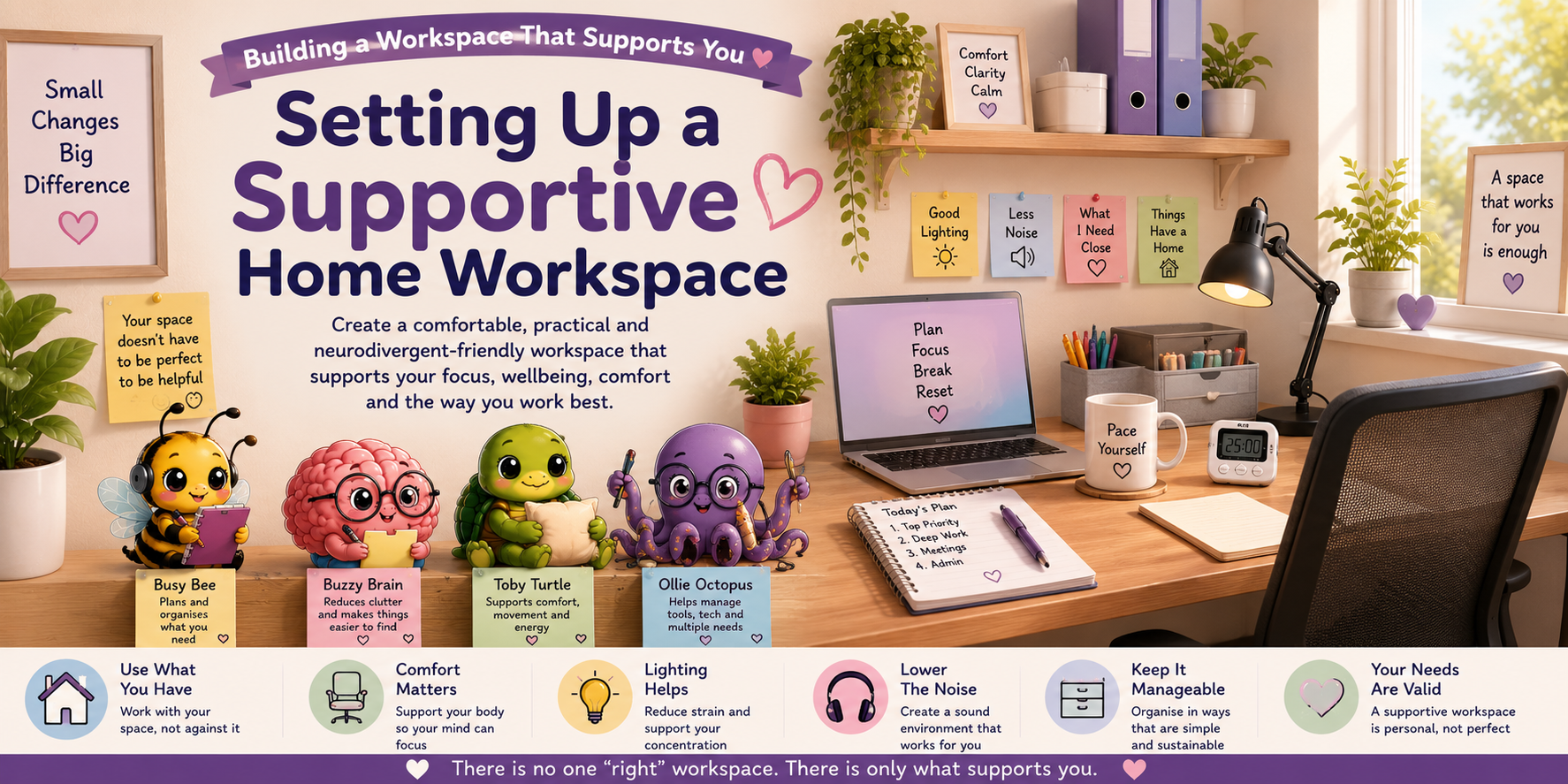
Setting Up a Supportive Home Workspace
A supportive home workspace does not need to be large, expensive, perfectly organised or separate from the rest of your home.
The most helpful workspace is one that reduces unnecessary barriers, supports your comfort and makes it easier to begin, continue and finish your work. This may involve changing your lighting, reducing noise, moving frequently used items closer or creating a portable setup that can be packed away.
Your workspace can look different from a traditional office and still support productive, meaningful work.
What Makes a Workspace Supportive?
A supportive workspace helps reduce effort, discomfort, distraction and the amount of information your brain must manage.
Physical Comfort
Seating, posture, movement and desk height can affect both comfort and concentration.
Helpful Lighting
Lighting that is too bright, dim or flickering can increase strain and sensory discomfort.
Lower Distraction
Reducing noise, interruptions and visual clutter can make focus easier to maintain.
Easy Access
Frequently used tools, reminders and information should be easy to find and reach.
Begin With Your Needs
Before buying equipment or reorganising the room, notice what is currently making work harder.
Do you experience discomfort while sitting or typing?
Does the lighting cause headaches, glare or visual strain?
Are household sounds or conversations interrupting your focus?
Are essential tools difficult to find when you need them?
Does visual clutter make it harder to know where to begin?
Do you need more movement, pressure, warmth or airflow?
Is your workspace shared with other people or household activities?
Is it difficult to put work away and mentally switch off?
You do not need to solve every issue at once. Choose the barrier that affects you most and begin there.
Choosing the Best Available Location
A separate office can be helpful, but it is not essential. The best available location may be a desk, dining table, bedroom corner, shared room or portable setup.
Seating and Physical Comfort
Physical discomfort can quietly drain attention and energy throughout the day.
Support Your Feet
If your feet do not comfortably reach the floor, try a footrest, stable box or stack of books.
Raise the Screen
A laptop stand or stable stack of books may reduce neck strain. Use an external keyboard if helpful.
Change Position
Alternate between sitting, standing, stretching and walking where possible.
- Add a cushion or folded towel for support.
- Use a blanket if temperature affects concentration.
- Place frequently used items within easy reach.
- Use a timer as a reminder to move or stretch.
- Change position before discomfort becomes severe.
Lighting and Visual Comfort
Lighting can affect headaches, eye strain, fatigue, sensory overload and the ability to concentrate.
- Position screens away from direct window glare.
- Use a desk lamp instead of harsh overhead lighting where helpful.
- Adjust screen brightness and text size.
- Use curtains, blinds or a screen filter to reduce glare.
- Choose warmer or softer light if bright white light feels uncomfortable.
- Reduce unnecessary visual movement around the workspace.
- Give your eyes regular breaks from the screen.
Noise, Temperature and Sensory Needs
Sensory needs vary greatly. Some people need quiet, while others concentrate better with background sound or movement.
Sound Supports
Try noise-reducing headphones, earplugs, white noise, instrumental music or predictable background sound.
Temperature and Airflow
Use layers, a fan, open window, blanket or heater where safe and appropriate.
Tactile Comfort
Consider cushions, comfortable clothing, fidget tools or a weighted item if these support regulation.
Calming Details
A plant, photograph, calming object or familiar scent may make the workspace feel safer and more personal.
Organising Equipment and Supplies
Organisation should reduce effort. It should not become another complicated task to maintain.
Keep daily items visible
Place the tools you use most often where they are easy to see and reach.
Create simple categories
Use broad labels such as “work,” “admin,” “to file” and “supplies.”
Give unfinished work a home
Use one tray, folder or basket so unfinished tasks do not disappear.
Reduce duplicate systems
Avoid spreading reminders across too many notebooks, apps and lists.
Small, Shared and Portable Workspaces
Many people do not have a dedicated office. A supportive setup can still be created using flexible and portable solutions.
Portable Work Basket
Keep your charger, notebook, headphones and essential supplies together in one basket or container.
Visual Work Cue
A small sign, lamp, mat or specific object can signal that the shared space is currently being used for work.
Pack-Away Routine
Store work materials together so the space can return to home use without losing important items.
Working in a shared home
Where possible, discuss working hours, noise, interruptions and shared responsibilities with the people you live with. Written agreements or visual signals may make expectations easier to understand.
Workspace Accessibility
Accessibility includes physical access, sensory comfort, communication access and the cognitive effort required to use the space.
- Keep walkways and movement areas clear where possible.
- Store essential items at an accessible height.
- Use speech-to-text, larger text or alternative input devices if helpful.
- Place written instructions or visual prompts near relevant equipment.
- Reduce the number of steps needed to begin regular tasks.
- Allow room for mobility aids, movement or changes in position.
- Consider the needs of assistance animals or support people.
Supportive Workspace Check
- Can I sit or work comfortably for a reasonable period?
- Can I see the screen and work materials without strain?
- Can I reduce or manage distracting sound?
- Can I quickly find the tools I use most often?
- Do I have space to move or change position?
- Can I tell when the workspace is active and when work has ended?
- Does this setup support my needs rather than someone else’s idea of a perfect office?
Small Changes to Try Today
One small adjustment can make the workspace easier to use.
Adjust One Light
Move a lamp, close a blind or reduce screen brightness.
Clear One Area
Clear only the space needed for the next task.
Change the Sound
Try headphones, quieter audio or predictable background sound.
Add One Reminder
Place the next task, break time or priority somewhere visible.
Meet Your Workspace Companions
Each companion represents a different kind of practical support.
Busy Bee
Helps organise tools, supplies, priorities and simple workspace systems.
Buzzy Brain
Helps reduce visual clutter and supports memory, focus and task initiation.
Toby Turtle
Encourages physical comfort, movement, breaks and a sustainable pace.
Ollie Octopus
Helps manage equipment, cables, devices and multiple practical needs.
Resources & Downloads
Use printable tools and checklists to review your workspace and plan manageable improvements.
Supportive Home Workspace FAQs
Do I need a dedicated home office?
No. A supportive workspace can be a desk, dining table, shared corner or portable setup. What matters is whether it reduces barriers and supports your needs.
What should I change first?
Begin with the issue causing the most discomfort or disruption, such as glare, noise, poor seating or difficulty finding supplies.
What if I cannot afford new office furniture?
Many improvements can be low-cost, such as using cushions, boxes, book stacks, portable containers, lamps or rearranging existing furniture.
How can I reduce visual clutter?
Clear only the area needed for current work, use broad storage categories and place distracting items outside your immediate view.
What if I work better in different locations?
A flexible or portable setup may suit you better than one permanent desk. Different locations can support different tasks or energy levels.
How can I separate work from home life in a shared space?
Use clear start and finish routines, pack work materials away and use a visual cue that signals when the shared area is being used for work.
Choose Your Next Step
Continue to Working From Home Routines or explore another related topic.