
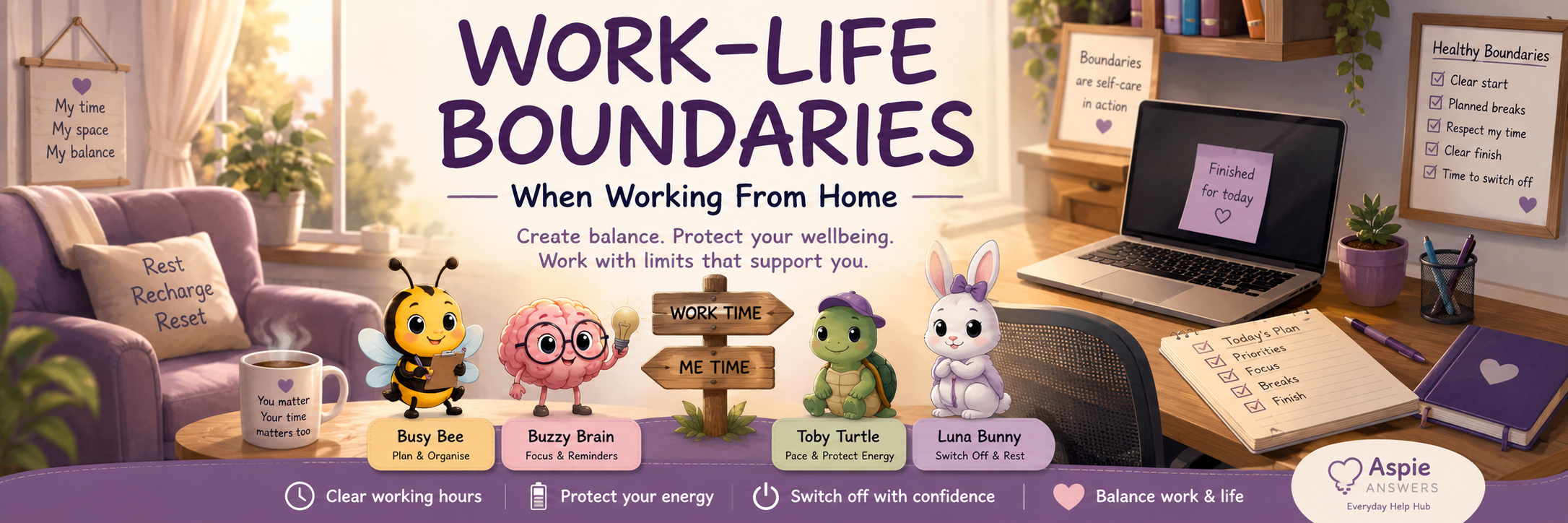
Work–Life Boundaries
Working from home can make it harder to tell where work ends and personal life begins.
Healthy boundaries help protect your time, energy, relationships and wellbeing. They do not need to be rigid or perfect. A useful boundary simply creates enough separation to help you work, rest and recover more sustainably.
They help make expectations clearer and reduce the risk of work expanding into every part of the day.
Why Work–Life Boundaries Matter
Without clear boundaries, work can become physically, mentally and emotionally present all day.
Reduce Mental Load
Clear stopping points reduce the pressure to keep remembering, checking or thinking about unfinished work.
Protect Energy
Boundaries create space for breaks, meals, movement, recovery and personal responsibilities.
Protect Home Life
Separating work from home life helps personal spaces and relationships feel less work-focused.
Support Rest
A clearer finish can make it easier to settle, switch off and sleep.
Signs Your Boundaries May Be Blurred
Boundary difficulties can develop gradually and may not be obvious until exhaustion or frustration builds.
Checking work messages immediately after waking.
Working through meals or planned breaks.
Feeling guilty when resting or doing something enjoyable.
Continuing work long after the planned finish time.
Thinking about work throughout the evening or night.
Responding to every notification as though it is urgent.
Allowing work equipment to take over shared living spaces.
Feeling that you are never fully working or fully resting.
Flexible Boundaries Still Count
Healthy boundaries do not require a separate office, identical working hours or a perfect routine. They can be adapted around health, caring responsibilities, irregular work, self-employment and changing energy.
Physical Boundaries
Physical cues can help your brain recognise when work is beginning and when it has finished.
Use a Consistent Work Area
Use one desk, table, chair or corner whenever possible, even if the space must remain shared.
Create a Portable Workspace
Keep work materials in a box, bag, trolley or basket that can be packed away after work.
Create a Closing Cue
Close the door, cover the equipment, turn off a lamp or put the laptop away.
A boundary can be as small as using one placemat for work, changing the lighting, wearing headphones or placing a sign beside your workspace.
Time Boundaries
Time boundaries make working hours, breaks and availability more visible.
Choose a start window
Use an exact time or a flexible range that fits your routine.
Protect breaks
Include short pauses, meals and time away from screens.
Choose a finish point
Use a clock time, completed task, energy limit or scheduled commitment.
Allow transition time
Leave a small buffer between work and personal responsibilities.
Digital Boundaries
Messages, emails and notifications can keep work mentally present even when you are no longer working.
Silence Notifications
Turn off or schedule work notifications outside your chosen hours.
Set Email Times
Check email during planned periods rather than continuously.
Use Status Settings
Mark yourself unavailable, offline, focusing or finished for the day.
Separate Work Apps
Use folders, profiles, devices or home-screen limits where practical.
Mental and Emotional Boundaries
Work may continue mentally after the laptop is closed, especially when tasks are unfinished or emotionally demanding.
- Write down unfinished tasks before stopping.
- Record the exact first step for tomorrow.
- Keep a capture list for work thoughts that appear later.
- Remind yourself that unfinished does not mean failed.
- Use grounding or movement after difficult conversations.
- Avoid mentally rehearsing tomorrow’s entire workload.
- Use a phrase such as “This can wait until work time.”
Boundaries in a Shared Home
Partners, children, family members, flatmates, carers and visitors may not automatically know when you are working or available.
Use a Visual Signal
Use a sign, coloured card, closed door, headphones or desk light to show when interruptions should be limited.
Explain Availability
Share when you are available, when you need quiet and what counts as urgent.
Plan Shared Responsibilities
Agree on meals, childcare, household tasks and interruptions before the busiest part of the day.
Helpful Boundary Scripts
Having prepared words can make it easier to communicate limits without overexplaining.
“I’m finished for today, but I’ll return to this tomorrow.”
“I’m not available right now. I can respond during my working hours.”
“I need a short break before I continue.”
“I can help with this after I finish my current work block.”
“This request will need to be scheduled rather than completed immediately.”
“I’ve reached my capacity for today, so I’ll continue during my next work period.”
Managing Guilt Around Rest
Working from home can create pressure to prove that you are being productive. You may feel you should work whenever you are physically near your equipment.
Protecting Breaks and Meals
Breaks can disappear when there are no natural cues from colleagues, travel or shared lunch spaces.
Use Reminders
Set alarms or calendar prompts before concentration and energy drop.
Leave the Workspace
Eat somewhere different when possible, even if only for a few minutes.
Change Activity
Stand, stretch, move, look outside or complete a regulating activity.
Reduce Input
Use quieter, dimmer or less demanding conditions during breaks.
Handling Overtime and Urgent Work
Occasional flexibility may be necessary, but repeated overtime can become the default unless limits are made visible.
Clarify the Deadline
Ask whether the task genuinely needs attention now or can wait.
Renegotiate Priorities
Ask what should be delayed if a new urgent task is added.
Protect Recovery
Plan reduced hours, breaks or recovery time after unusually demanding work.
End-of-Day Transition Cues
A transition activity can replace the natural separation that travelling home would normally provide.
A gentle finishing routine
- Save and close your current work.
- Write down unfinished tasks.
- Choose tomorrow’s first step.
- Update your availability status.
- Silence work notifications.
- Pack away or visually close the workspace.
- Use a transition such as music, changing clothes, walking or making food.
Boundaries for Changing Energy
Health, stress, burnout, sleep and sensory load may affect how much work is possible on a given day.
Standard Boundary Plan
- Use normal working hours.
- Complete planned focus blocks.
- Protect standard breaks.
- Finish at the agreed time.
Reduced Boundary Plan
- Shorten focus periods.
- Delay lower-priority tasks.
- Increase recovery time.
- Communicate limits early.
Minimum-Day Boundary Plan
- Complete only essential actions.
- Reduce communication demands.
- Stop before full depletion.
- Protect recovery after work.
Example Boundary Plans
These examples can be adapted rather than followed exactly.
Clear Working Day
- Begin at a set time.
- Use scheduled breaks.
- Finish at a set time.
- Silence notifications.
- Pack away equipment.
Flexible Boundary Day
- Choose two or three work blocks.
- Fit blocks around responsibilities.
- Set a latest finish time.
- Protect one uninterrupted rest period.
- Close communication after finishing.
Capacity-Led Day
- Check energy before starting.
- Choose one priority.
- Use shorter work periods.
- Stop when capacity drops.
- Record the next step for later.
A Gentle Boundary Reset
Boundaries may become blurred during deadlines, illness, life changes or busy periods. You do not need to redesign everything at once.
- Notice which boundary feels most difficult.
- Choose one small limit to restore.
- Communicate it clearly where needed.
- Add one visible reminder or cue.
- Review whether it helped after a few days.
Small Changes to Try Today
One clear boundary can make the day feel more manageable.
Choose a Finish Time
Decide when work will end before becoming absorbed in the day.
Silence One Notification
Remove one unnecessary work interruption from personal time.
Protect One Break
Put one meaningful break into your calendar or routine.
Close the Workspace
Pack away, cover or visually close work equipment after finishing.
Meet Your Boundary Companions
Each companion offers a different kind of support for protecting work time, personal time and energy.
Toby Turtle
Encourages pacing, recovery and boundaries that protect long-term energy.
Luna Bunny
Supports switching off, evening transitions and gentle rest routines.
Busy Bee
Helps plan working hours, breaks, priorities and finishing times.
Buzzy Brain
Supports reminders, transitions and managing “always on” thinking.
Resources & Downloads
Explore planners, boundary prompts, shutdown checklists and work-from-home support tools.
Work–Life Boundary FAQs
Do I need a separate home office?
No. A work boundary can be created using a particular chair, table area, portable work box, lamp, sign or pack-away routine.
What if I work irregular or flexible hours?
Use flexible work blocks, a latest finish time, digital limits and protected recovery periods rather than a traditional schedule.
What if I struggle to stop unfinished work?
Write down where you stopped and the exact next action. This can reassure your brain that the task has not been forgotten.
Is it okay to respond after hours sometimes?
Yes. A boundary can be flexible. The aim is to avoid after-hours availability becoming automatic or expected every day.
How can I manage family interruptions?
Use visible signals, agree on what counts as urgent, share your work blocks and schedule times when you are available.
What if my employer contacts me outside work hours?
Clarify expected response times, use status messages and respond during agreed hours unless the matter is genuinely urgent.
How do I stop feeling guilty about breaks?
Remind yourself that breaks support concentration, health and sustainable performance. They are part of working well.
What if my energy changes every day?
Create standard, reduced and minimum-day boundary plans so your expectations can change with your capacity.
Choose Your Next Step
Continue to Digital Organisation or return to another Working From Home page.