
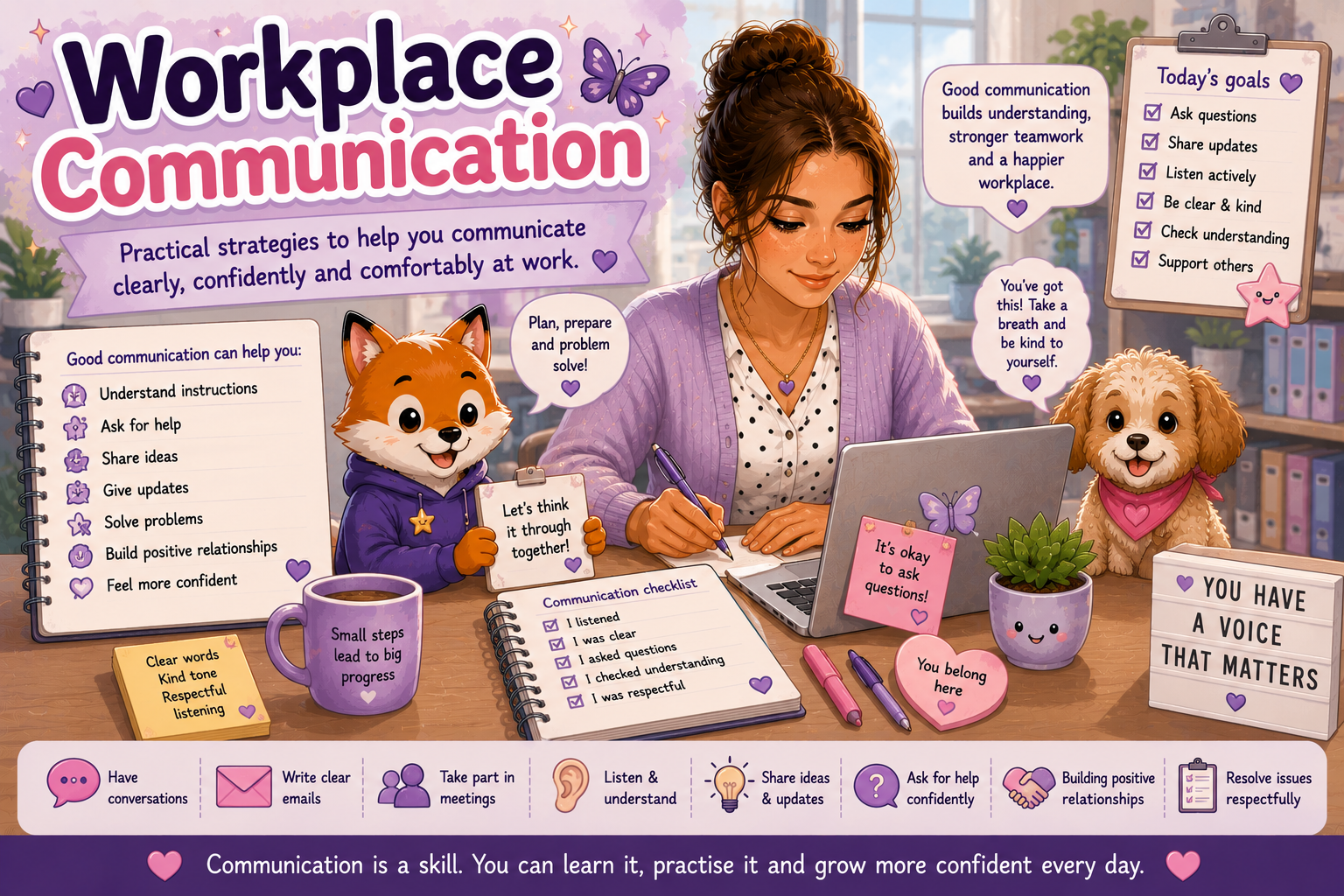
Workplace Communication
Workplace communication can involve spoken instructions, emails, meetings, feedback, teamwork, phone calls, social expectations and knowing when or how to ask for help.
This page offers practical communication strategies designed to make workplace interactions feel clearer, more manageable and less overwhelming.
💙 A Gentle Reminder
There is no single “correct” communication style. Clear communication works best when expectations are explained, questions are welcomed and people are given different ways to understand and respond.
Finn Fox’s Tip
You do not have to understand everything immediately. It is okay to pause, ask for clarification, write instructions down or check what the next step should be.
Breaking a communication problem into one small question at a time can make it easier to work out what information you need.
🧭 Explore This Page
Choose the area that feels most useful right now. You do not need to work through the page in order.
📋 Understanding Workplace Instructions
Instructions can be easier to follow when information is clear, visible and broken into manageable parts.
Ask for Written Instructions
Written steps can reduce memory pressure and make it easier to check what comes next.
Repeat Back the Task
Briefly summarise what you heard so both people can confirm that the task has been understood.
Clarify Priorities
Ask which task should be completed first when several jobs are given at once.
Break Tasks Into Steps
Large instructions often become easier when divided into smaller, visible actions.
❓ Asking Questions and Clarifying
Questions can prevent misunderstandings and mistakes. Asking for clarification is a normal and useful part of workplace communication.
When the Task Is Unclear
“Could you please explain what the finished task should look like?”
When You Need an Example
“Is there an example I can look at before I begin?”
When There Are Too Many Steps
“Could we break this into the first few steps?”
When the Deadline Is Unclear
“What time or date does this need to be completed by?”
✉️ Emails and Workplace Messages
Written communication can be useful because it gives people time to process information and creates a record that can be checked later.
Use a Clear Subject
Make the topic easy to identify, such as “Question About Friday’s Meeting”.
Keep the Main Point Near the Top
State what you need before adding extra detail.
Use Short Paragraphs
Spacing makes messages easier to read and can reduce information overload.
Check Before Sending
Review the recipient, attachment, deadline and requested action.
Hello [Name],
I am writing about [topic].
Could you please confirm [question or request]?
Thank you,
[Your name]
👥 Workplace Meetings
Meetings can feel easier when you know the purpose beforehand and have a way to record what was discussed.
Ask for an Agenda
An agenda can help you prepare and reduce uncertainty.
Take Notes
Write down decisions, actions, names and deadlines.
Ask for Processing Time
You can request time to think before making a decision or giving an answer.
Confirm the Next Steps
At the end, check who is doing what and when it is due.
💬 Giving and Receiving Feedback
Feedback is easier to use when it is specific, respectful and focused on what can happen next.
| Situation | Helpful Approach |
|---|---|
| You receive unclear feedback | Ask for a specific example and what should be done differently next time. |
| You disagree with feedback | Pause, ask questions and explain your perspective calmly. |
| You need to give feedback | Focus on the task or behaviour rather than the person. |
| You feel overwhelmed | Ask to continue the conversation later or request the feedback in writing. |
🤝 Teamwork and Shared Tasks
Agree on Roles
Clarify who is responsible for each part of the task.
Use Shared Lists
Written task boards or shared documents can help everyone track progress.
Communicate Changes
Let others know when plans, priorities or deadlines change.
Check In Without Pressure
Short updates can prevent confusion without creating unnecessary meetings.
🛡️ Communication Boundaries
Boundaries can help protect concentration, wellbeing and clarity about workplace expectations.
After-Hours Messages
Clarify whether you are expected to respond outside your normal work hours.
Interruptions
Use a polite phrase to protect focus when you need to finish a task.
Personal Questions
You do not have to share personal information you are uncomfortable discussing.
Communication Preferences
Where possible, explain whether you work best with email, written instructions or scheduled conversations.
🌱 Asking for Workplace Support
Support may include clearer instructions, written information, extra processing time, a quieter meeting space, scheduled check-ins or help prioritising tasks.
Explain the Barrier
Describe what part of the situation is making the task harder.
Suggest a Practical Support
Offer a clear idea that could help, such as written steps or advance notice.
Focus on the Outcome
Explain how the support will help you complete the work successfully.
Keep a Record
Save important emails, agreed adjustments and meeting notes.
✅ Quick Communication Checklist
A simple before–during–after approach can make workplace conversations easier to organise.
Before a Conversation
- Know the main point you need to discuss.
- Write down questions.
- Choose a suitable time.
During the Conversation
- Ask for clarification when needed.
- Take notes.
- Check priorities and deadlines.
After the Conversation
- Review the next steps.
- Send a follow-up email if useful.
- Add deadlines to your planner.
💚 Remember
Good workplace communication is not about sounding perfect. It is about helping people understand one another, reducing uncertainty and making expectations clearer.
Communication can also change depending on the situation, the people involved and the kind of support that works best for you.
Continue Exploring Workplace Success
Workplace communication connects with many other parts of working life. Explore another area when you are ready.
Workplace Skills
Explore practical skills for navigating everyday working life.
Explore workplace skills →Executive Function at Work
Find strategies for planning, organising, remembering tasks and managing workload.
Explore executive function support →Job Preparation
Explore strengths, work preferences, support needs and practical preparation for employment.
Visit Job Preparation →Interview Support
Prepare for interview questions, communication, uncertainty and common interview situations.
Explore interview support →📚 Workplace Communication Resources
Practical companion resources can be added here as the Work & Employment collection grows.
These can eventually connect this page with printable tools, planners and worksheets across the Aspie Answers resource library.
Workplace Communication Checklist
A simple printable guide for preparing for conversations, checking understanding and recording next steps.
Planned resourceMeeting Preparation Planner
Prepare questions, agenda points, support needs and notes before a workplace meeting.
Planned resourceWorkplace Email Template Pack
Reusable examples for questions, clarification, follow-up messages and workplace requests.
Planned resourceCommunication Preferences Profile
Record useful communication preferences, processing needs and strategies that may help at work.
Planned resource